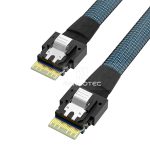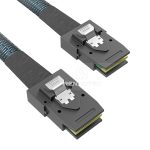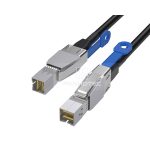
60A - 120A
125A - 200A
250A - 350A
400A - 480A
SFF-8087 / SFF-8088 · cable selection
A replacement that fits can still connect the wrong roles. Identify the host, drive interface and power route before choosing the assembly.
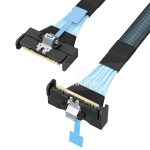
SFF-8087 is the internal Mini-SAS interface; SFF-8088 is the external interface. An SFF-8087 cable may run to a backplane, split into four drive connections, or terminate in a different connector family. The name of the large plug tells you only part of what you need to order.
For a replacement, read the controller and backplane model numbers before disconnecting anything. Photograph the old route and both ends, including any separate power or sideband leads. An identical-looking replacement can still have the wrong host-to-drive wiring.
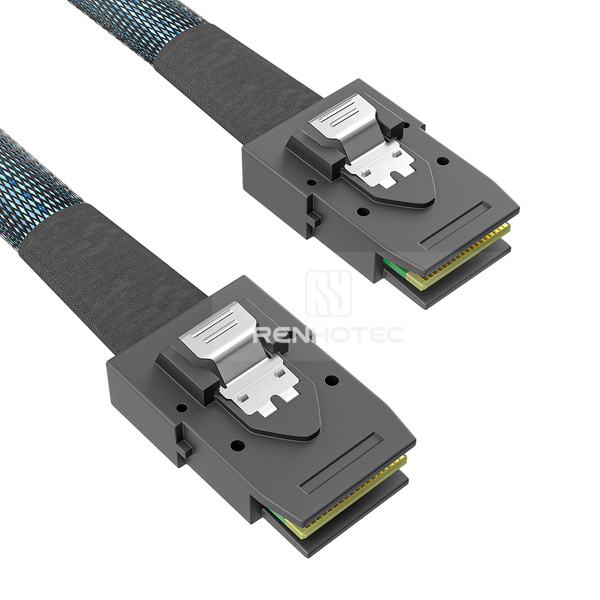
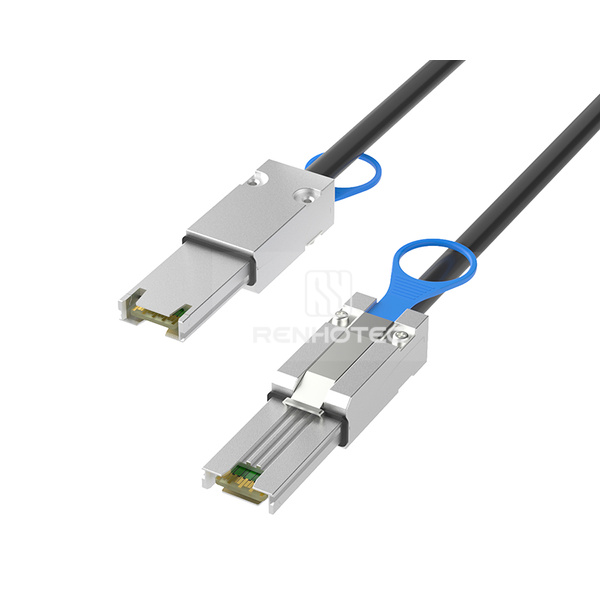
These names also appear in Broadcom’s LSI HBA guide, which identifies internal SFF-8087 and external SFF-8088 ports on specific adapters. Mini-SAS HD uses SFF-8643 internally and SFF-8644 externally. Those plugs are different, so an HD replacement may require a hybrid cable rather than a direct swap.
| Connection you need | Cable arrangement to investigate | Next check |
|---|---|---|
| SFF-8087 controller to SFF-8087 backplane | Internal Mini-SAS to Mini-SAS | Backplane wiring, sideband support and cable exit |
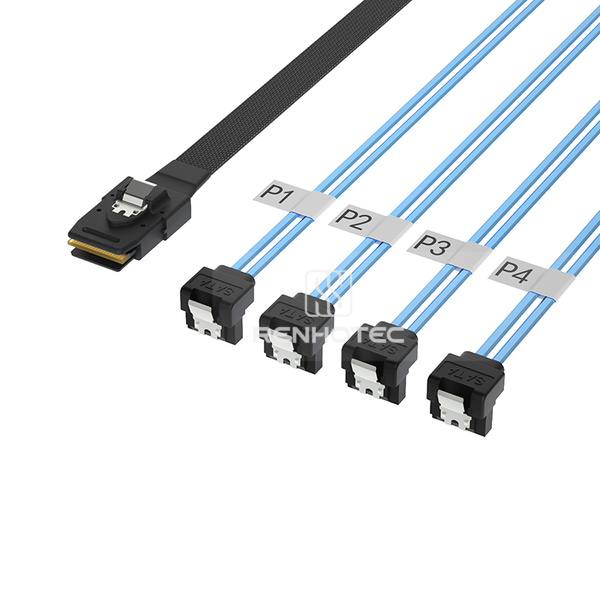
| SFF-8087 controller to individual SATA drives | Forward SFF-8087 to four SATA data branches | Controller supports SATA; drive power is separate |
| Four SATA host ports to a compatible SFF-8087 backplane | Reverse breakout | Backplane accepts discrete SATA host links |
| SAS host to individual SAS drives | Appropriate fanout with SFF-8482 drive connectors | SAS-capable host and specified power inputs |
| SFF-8088 host to external SFF-8088 enclosure | External Mini-SAS to Mini-SAS | Enclosure port role, supported cable and routing |
If neither connector matches, use the server and storage cable family guide before narrowing the selection further.
A four-way cable can look much the same in both versions. Forward and reverse describe different endpoint roles and wiring arrangements. They do not describe one-way data transfer, and turning a forward cable around does not make it a reverse cable.
Forward breakout
Host: controller with an SFF-8087 port.
Other end: four individual SATA drive data connections.
The host supplies the links through the grouped connector. The branches take those links to the drives. Arrange a separate power connection for each drive.
Manufacturer example: StarTech SAS8087S4100Reverse breakout
Host: four discrete SATA ports.
Other end: a compatible backplane’s SFF-8087 input.
The assembly brings separate host links into the backplane connector. It does not turn a SATA motherboard into a SAS controller or add an expander.
Manufacturer example: StarTech SAS8087S4R50Write the route as equipment roles: “motherboard SATA ports to backplane” or “HBA Mini-SAS port to SATA drives.” This gives the supplier more useful information than “8087 to SATA.” Supermicro also identifies its CBL-0294L-02 as a reverse breakout crossover assembly, illustrating why the wiring description belongs in the order.
The backplane matters as much as the cable. A passive backplane can route individual connections to drive bays; a backplane with a SAS expander has additional hardware and its own host requirements. Check the backplane manual instead of assuming that every SFF-8087 socket accepts four motherboard SATA links.
Once the endpoint roles are settled, a wiring drawing lets you check how each branch is assigned. For RHT-726-2012, drawing R1.0 identifies the grouped connector as P0 and the four SATA connectors as P1, P2, P3 and P4.
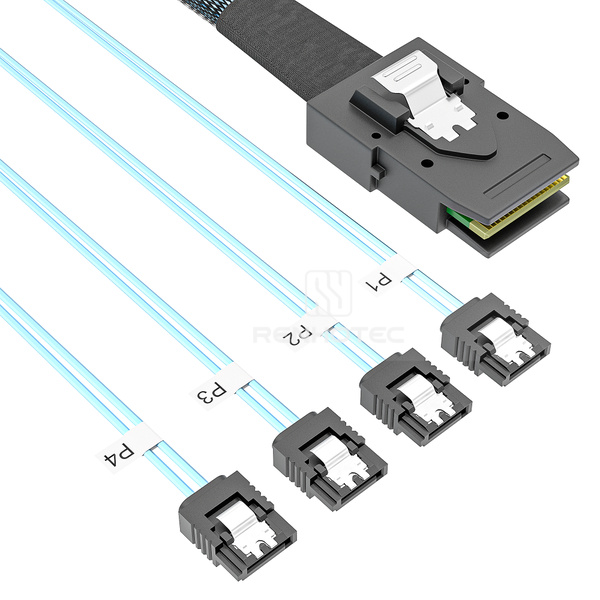
Drawing R1.0 · 17 June 2024
Choose a branch column, then the SATA contact row. Each entry is the corresponding contact on P0.
| SATA pin | P1 | P2 | P3 | P4 |
|---|---|---|---|---|
| 6 | A2 | A5 | A13 | A16 |
| 5 | A3 | A6 | A14 | A17 |
| 3 | B3 | B6 | B14 | B17 |
| 2 | B2 | B5 | B13 | B16 |
For example, P3 contact 6 corresponds to P0 A13. It does not correspond to whichever branch happens to be third from the left in a photograph. Branch labels and the drawing establish the identity.
The same drawing groups SATA contacts 1, 4 and 7 with P0 contacts A1, A4, A7, A12, A15, A18, B1, B4, B7, B12, B15 and B18. Use the complete assembly drawing for wiring inspection, including these common connections. Signal correspondence by itself does not establish host compatibility, signal quality or a supported data rate.
When reading a connector-face drawing, confirm whether the view looks into the mating face or from the cable side. A mirrored view can reverse a seemingly obvious numbering order. Match the connector’s reference features and drawing revision before locating a contact; do not count pins from an unmarked product photo.
A SATA 7-pin branch carries the drive’s data connection. It leaves the drive’s power connection to another cable. An SFF-8482 drive-end assembly uses a different interface and may include separate power leads feeding the drive connector. The presence of a wide drive plug does not mean the Mini-SAS controller port powers the drive.
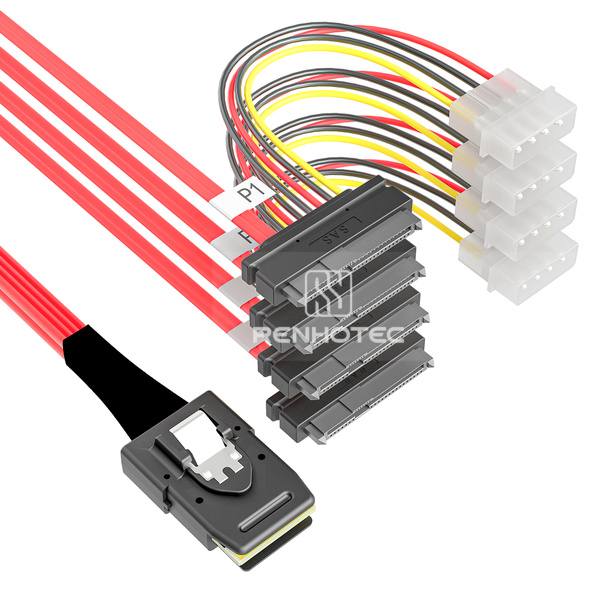
Follow both connections
RHT-726-2007 combines SFF-8087, four SFF-8482 drive ends and power leads. Match the power input to the system supply as part of the assembly specification.
The cable’s red jacket does not identify its protocol or wiring direction.
| Drive-end arrangement | Data and power | What it does not establish |
|---|---|---|
| SATA 7-pin data plug | Data at this plug; power supplied separately | SAS drive support or the cable’s forward/reverse assignment |
| SFF-8482 with specified power leads | Drive interface plus a separate power-feed arrangement | Power supplied by the Mini-SAS host port |
| Grouped cable to a backplane | Drive connectivity through the backplane; power follows the chassis design | Backplane power, expander support or bay indicators from connector fit alone |
Seagate’s SAS installation guidance makes the controller boundary clear: a SAS drive does not work on a SATA controller. A SAS controller may support SATA drives when its ports and configuration allow them. Changing the cable’s connector cannot add the missing protocol.
This distinction also applies to controllers with an SFF-8087 socket. For example, StarTech’s PEXSAT34SFF is a SATA controller using that connector; its data sheet excludes SAS drives. “Mini-SAS connector” is therefore insufficient as a controller capability specification.
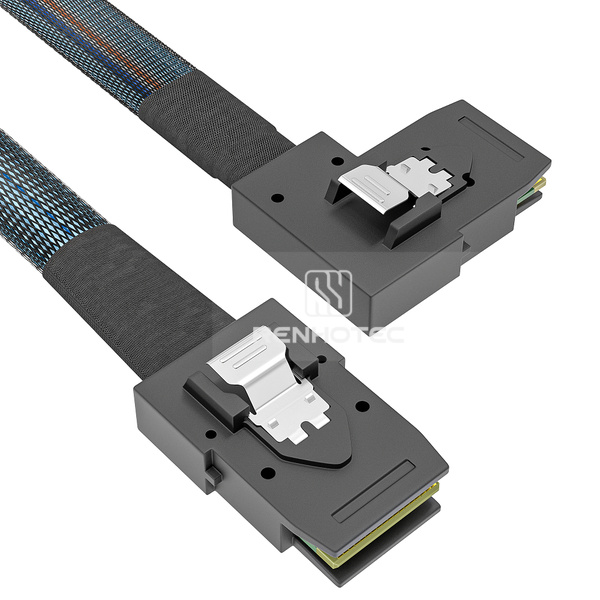
Start with the endpoint combination, then look at the physical details that change installation: an angled plug, separate power leads, or a different drive connector. Each SKU link opens the Mini-SAS product-family section.
| SKU | Connector A | Connector B | Listed distinction |
|---|---|---|---|
| RHT-726-2004 | SFF-8087 | SFF-8087 | A exit: Straight; B exit: Straight |
| RHT-726-2001 | SFF-8087 | SFF-8087 | A exit: Straight; B exit: Right bend |
| RHT-726-2003 | SFF-8643 | SFF-8087 | Additional details not stated |
| RHT-726-2002 | SFF-8643 | SFF-8087 | A exit: Right angle |
| RHT-726-2017 | SFF-8088 | SFF-8088 | Additional details not stated |
| RHT-726-2015 | SFF-8644 | SFF-8088 | Additional details not stated |
| RHT-726-2016 | SFF-8088 | SFF-8087 | Additional details not stated |
| SKU | Connector A | Connector B | Listed distinction |
|---|---|---|---|
| RHT-726-2012 | SFF-8087 | 4 × SATA 7-pin | Additional details not stated |
| RHT-726-2011 | SFF-8087 | 4 × SATA 7-pin | Color: Red |
| RHT-726-2010 | SFF-8087 | 4 × SATA | A exit: Straight; B exit: Right angle |
| RHT-726-2005 | SFF-8088 | 4 × SATA 7-pin | Additional details not stated |
| SKU | Connector A | Connector B | Listed distinction |
|---|---|---|---|
| RHT-726-2008 | SFF-8087 | 4 × SAS SFF-8482 | Additional details not stated |
| RHT-726-2009 | SFF-8087 | 4 × SAS SFF-8482 | Power: Power leads |
| RHT-726-2007 | SFF-8087 | 4 × SAS SFF-8482 | Power: Power leads; Color: Red |
| RHT-726-2013 | SFF-8088 | 4 × SAS SFF-8482 | Additional details not stated |
| RHT-726-2014 | SFF-8088 | 4 × SAS SFF-8482 | Power: Power connections |
| RHT-726-2006 | SFF-8088 | 4 × SAS SFF-8482 | Power: 4-pin peripheral power connectors |
For a SATA breakout, specify host and destination roles along with the SKU. For a powered SFF-8482 assembly, include the required supply connection. Where a detail is not stated, request the applicable assembly drawing rather than treating the missing entry as “not present.”
For an SFF-8087-to-four-SATA route whose drive connectors need angled exits, RHT-726-2010 is the listed physical candidate. Check its host/device assignment and branch reach against the original harness. The contact reference for RHT-726-2012 is useful for reading that particular drawing; it cannot be transferred to 2010 merely because both have four SATA branches.
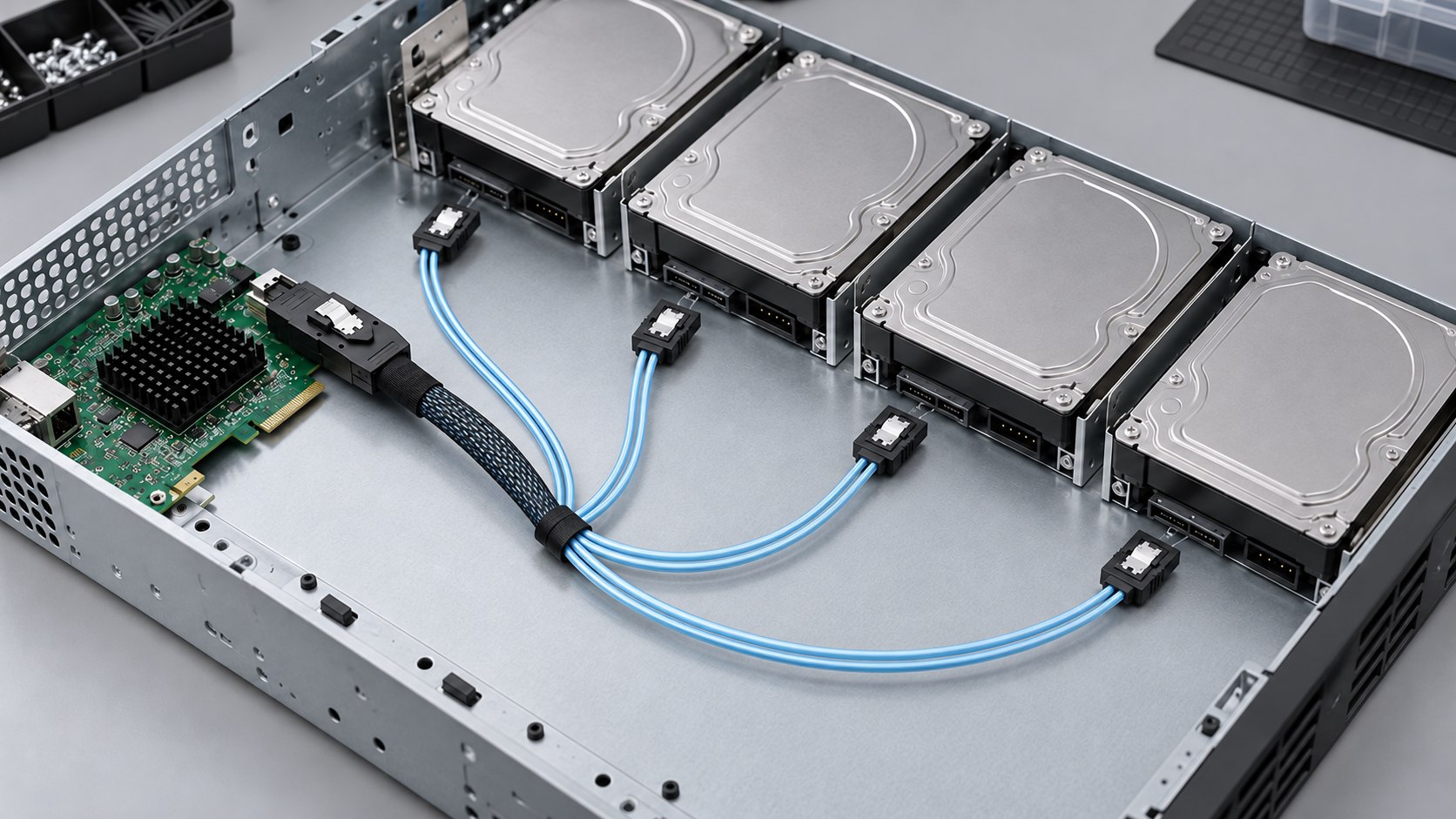
A cable can reach the first drive and still be too short for the last. Lay out the complete route with the system in a safe, unpowered service state, following its maintenance procedure. Allow for the grouped plug, the breakout point, each drive branch and access to the latches.
For SFF-8088 connections outside the chassis, check the enclosure’s host-facing port and the route between equipment. Support the cable so its weight does not hang from the plug. Keep the release accessible and allow for the service movement specified by the equipment maker.
Use the drive serial number and controller inventory to identify a drive. A cable branch label records its connection position; it is not the drive’s permanent identity, and bay order can differ from software enumeration.
You may be able to retain an existing backplane or enclosure when a new controller uses Mini-SAS HD. The appropriate hybrid assembly changes the physical interface; the controller, backplane and drives still need compatible signaling and a supported connection arrangement.
Renhotec RHT-726-2002 has an angled HD end; RHT-726-2003 is another listed endpoint combination.
RHT-726-2015 joins these two external connector families.
Broadcom’s cable matrix lists internal 8643/8087 and external 8644/8088 combinations for specified adapters. Use that kind of model-specific qualification when planning a replacement. A cable listing does not qualify every combination of an old enclosure and a new HBA.
A newer connector alone does not increase the speed of an older drive or backplane. Keep per-link signaling rate, the number of links and measured application throughput separate when comparing specifications. The Renhotec configuration tables here describe physical assemblies; obtain the performance qualification for the chosen assembly and length.
For HD connector identification and external routing, continue with the Mini-SAS HD cable guide. There is no need to change an otherwise suitable internal route simply to make both ends use the same connector family.
Start with the change you made and the scope of the fault. All drives missing, a single branch failing and missing enclosure indicators point to different checks. Do not infer a pinout from a drive-detection failure.
| Observation | Check first | Useful evidence to collect |
|---|---|---|
| None of four SATA drives appears | Forward/reverse assignment, drive power, controller visibility and backplane compatibility | Host model, both cable ends, power route and controller inventory |
| One branch or bay is missing | That branch’s seating, label-to-bay assignment and power connection | Branch label, bay label and the drive identifier shown by the controller |
| Drives appear, but bay indicators do not behave as expected | Backplane sideband/indicator requirements and the specified cable or header | Backplane manual and sideband connection details |
| An external enclosure is missing | Host-facing port, enclosure power, controller support and external link seating | Enclosure port labels and HBA status |
| The problem changes when equipment is moved | Latch engagement, strain, routing damage and required movement clearance | Photographs of the installed route and equipment error logs |
These observations narrow an inspection; none proves that the cable is faulty. Preserve storage configuration and follow the system’s service procedure before moving connections. A controlled comparison should change one item at a time and record the result.
Sideband deserves a separate check because drive data and enclosure indication are different functions. As a specific example, Supermicro’s SGPIO guidance calls for the proper motherboard-to-backplane header connection and backplane settings. That example is not a universal header pin assignment.
For a replacement or new assembly, send the controller and backplane or drive models, connector references at both ends, required branch arrangement, power-feed details and the measured route. Include the current cable part number and drawing revision when available.
For a breakout, write the host role explicitly. For an angled assembly, add a photograph showing the socket, latch and nearby obstruction. If you need wiring confirmation, request the model-specific drawing with branch labels and connector views.