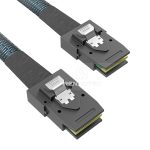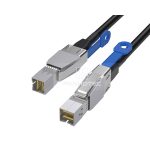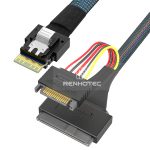
60A - 120A
125A - 200A
250A - 350A
400A - 480A
SFF-8643 / SFF-8644 · storage interconnects
Identify the internal or external interface, trace what sits at the other end, and choose a cable that preserves the intended connection.
SFF-8643 is the internal Mini-SAS HD interface; SFF-8644 is the external Mini-SAS HD interface. Use SFF-8643 for the appropriate board-to-board or controller-to-backplane connection inside a chassis. Use SFF-8644 for the matching external equipment ports. The two forms have different mating hardware and are not plugs you can exchange directly.
Inside the chassis
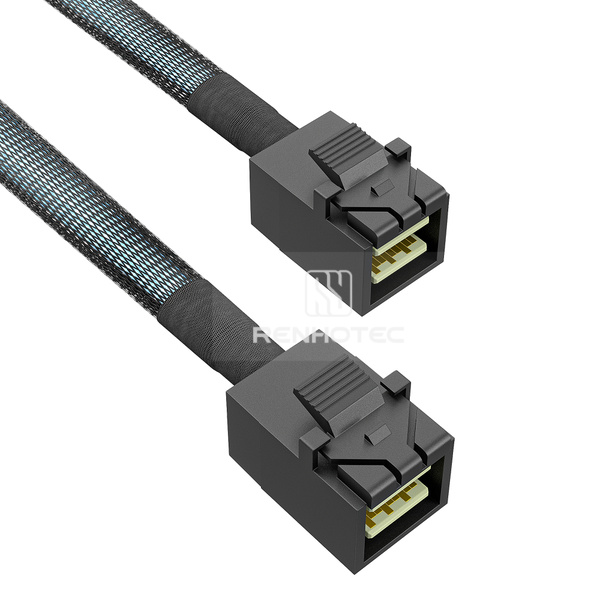
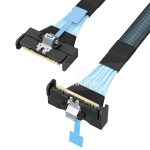
Compact internal connection with a latch. Check the housing, exit direction and access around the board socket.
RHT-726-3008At the external port
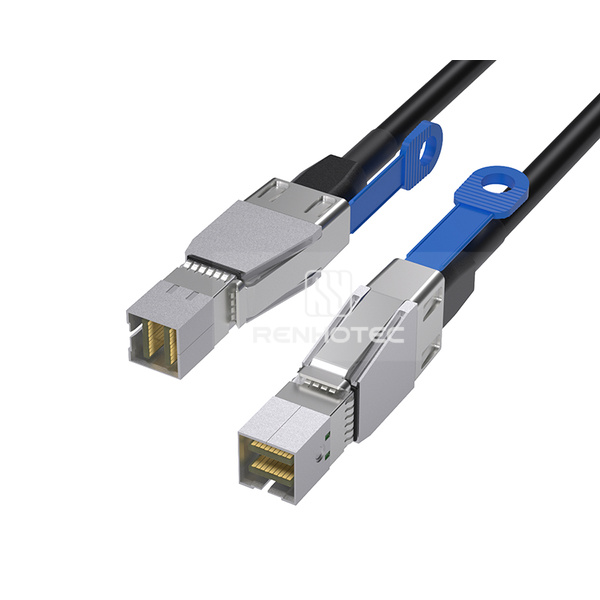
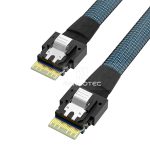
Shielded external connection with a metal shell. Allow access to the release mechanism and space for the cable route.
RHT-726-3021“HD” means high density. You will also see the names MiniSAS HD and HD Mini-SAS in equipment documentation. Amphenol identifies its internal Mini-SAS HD system with SFF-8643 and its external cable range with SFF-8644. Include the interface number in a replacement request instead of relying on the abbreviated family name.
Then identify the other end. A Mini-SAS HD cable may terminate in another Mini-SAS HD connector, individual drive connectors, an older Mini-SAS interface or a different internal connector family. That second endpoint determines the next selection question: direct link, breakout, backplane connection or interface transition.
| Family | Internal interface | External interface | Replacement implication |
|---|---|---|---|
| Mini-SAS HD | SFF-8643 | SFF-8644 | Match the exact internal or external form and cable assignment. |
| Mini-SAS | SFF-8087 | SFF-8088 | A suitable hybrid assembly may connect generations of equipment; the plugs are different. |
Broadcom’s storage-controller cable guide includes internal SFF-8643-to-SFF-8087 and external SFF-8644-to-SFF-8088 examples. These establish useful connector combinations, not a promise that every controller and enclosure will interoperate. For a wider comparison with MCIO, SlimSAS and OCuLink, see the server and storage cable family guide.
A backplane connection keeps several drive paths together through the cable and distributes them at the receiving board. A drive breakout separates the paths into individual connectors before they reach the drives. They solve different layout problems, even when both begin at an SFF-8643 port.
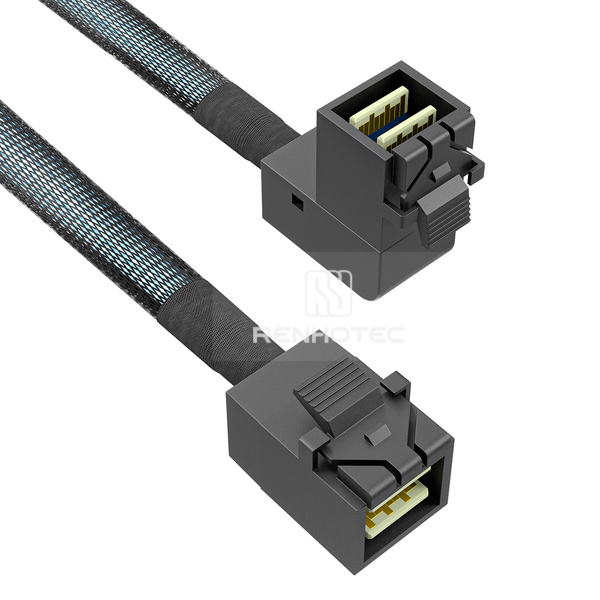
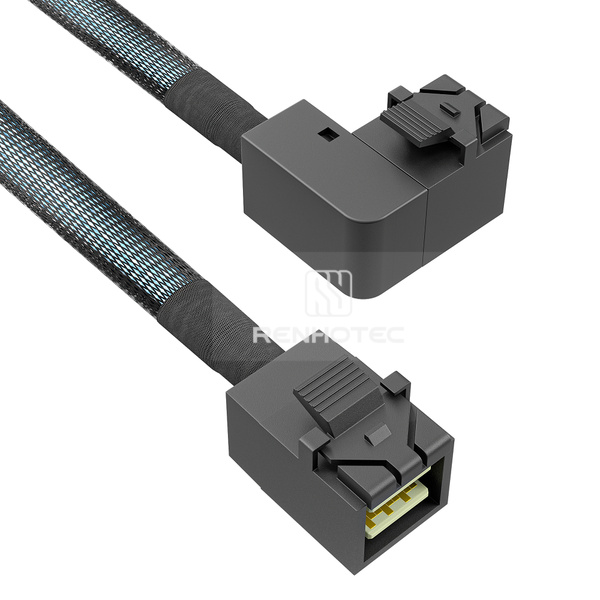
For a same-interface internal route, Renhotec lists RHT-726-3008. Angled alternatives include RHT-726-3014 and RHT-726-3015. Select the physical exit against the installed receptacle and nearby components, then check the required cable wiring.
A connector’s lane count is not automatically the total number of drives an enclosure can contain. A direct breakout has a physical number of drive ends; a system with a SAS expander has a different topology. Broadcom’s SAS expander portfolio is an example of the additional active hardware used in such systems. Follow the actual backplane documentation when calculating connectivity.
Some assemblies in this range are identified as 8i. Do not substitute a familiar smaller plug after reading only “SFF-8643.” Specify the complete mating form, lane arrangement and drawing reference. An 8i-to-two-connector assembly such as RHT-726-3001 describes the physical split; the equipment determines what each branch can carry.
One grouped connector does not always equal four drives. A four-way fanout has four physical drive ends; 8i assemblies, PCIe connections and SAS expander backplanes have different link arrangements.
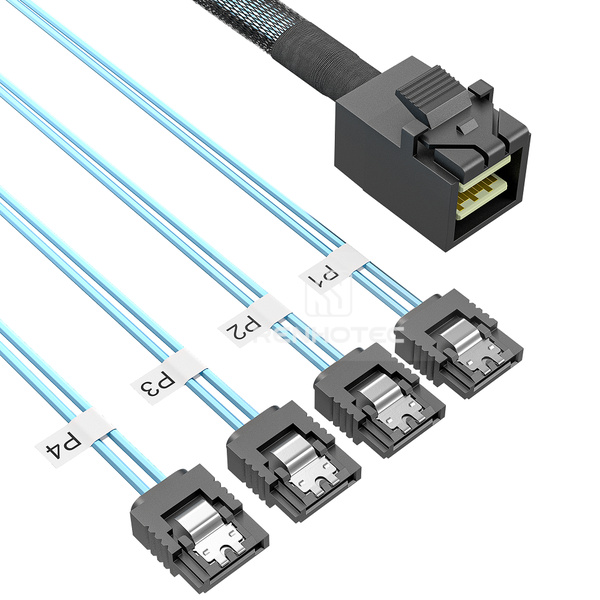
A forward breakout connects a suitable controller’s grouped Mini-SAS HD port to individual SATA drives. A reverse breakout connects individual motherboard SATA ports to a suitable grouped backplane connection. Specify which equipment sits at each end. The same connector list can describe either assembly, while the wiring differs.
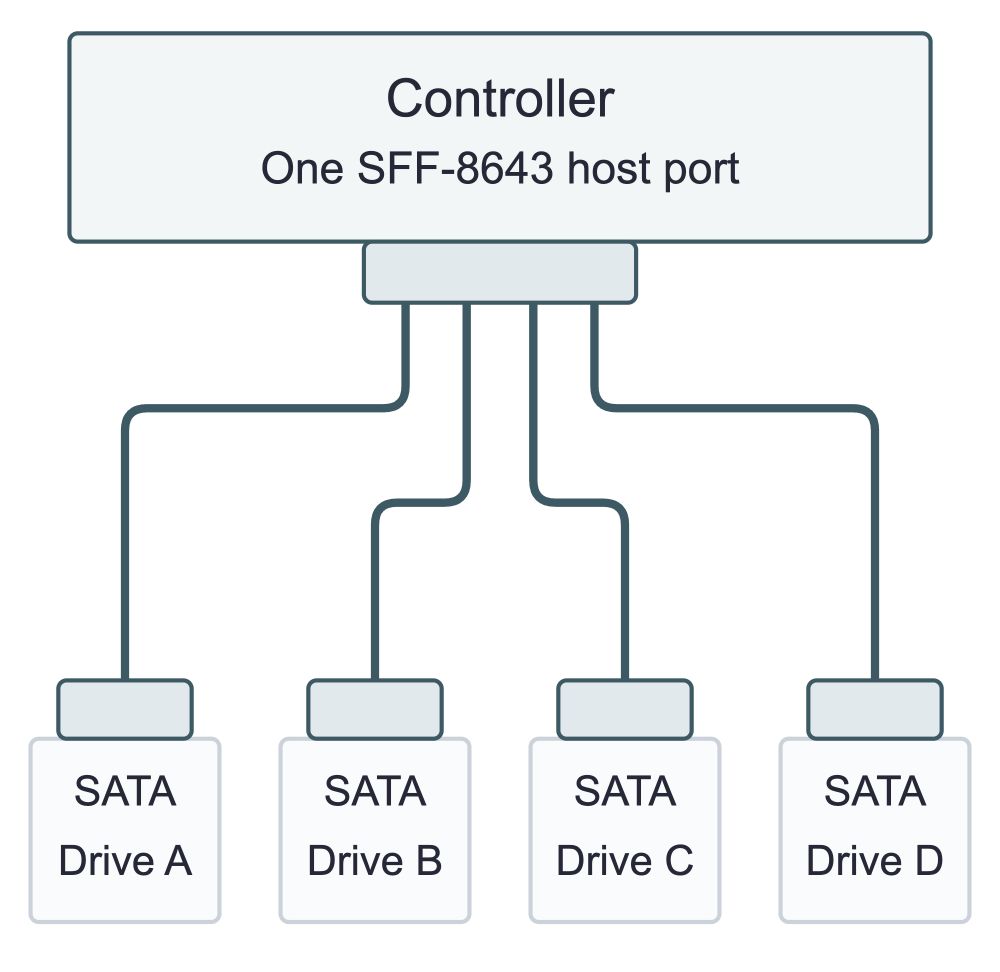
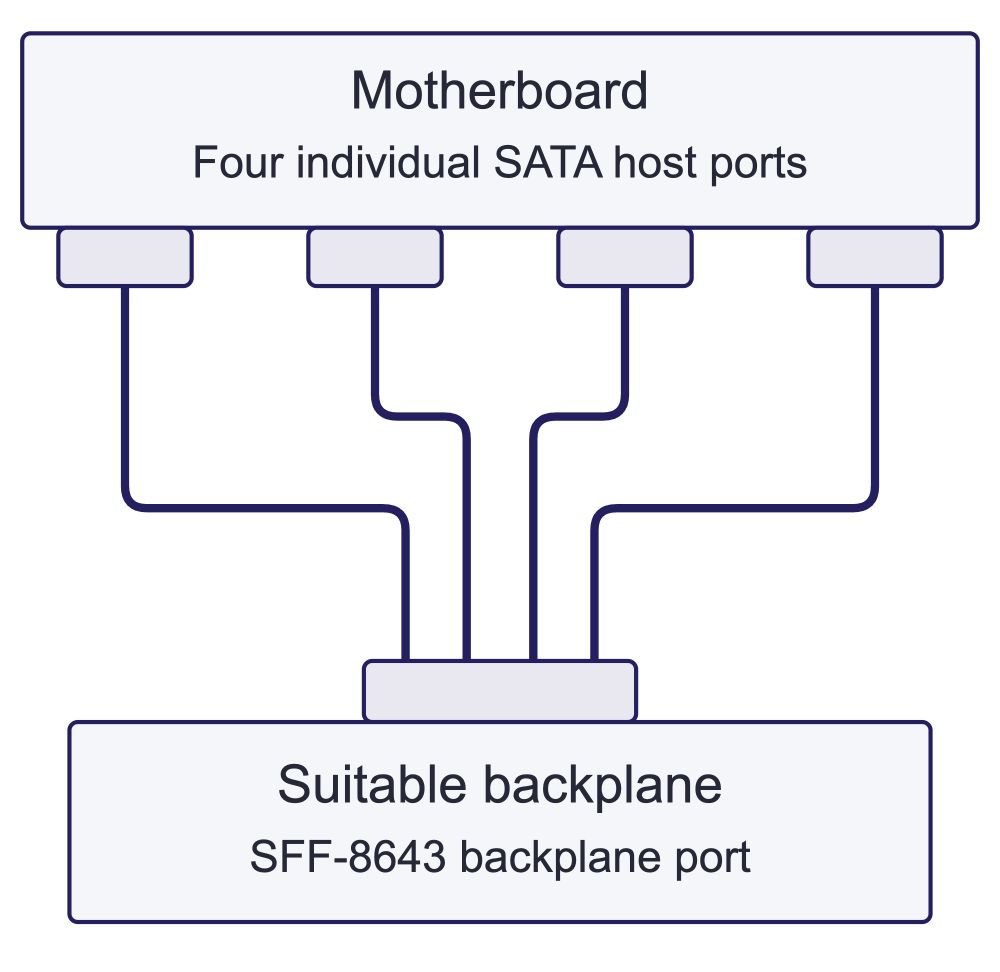
Read each example from host at the top to destination below. Lines show connection roles, not individual wires or pin assignments. These are different cable wiring arrangements; rotating a forward cable does not make it a reverse cable.
StarTech describes its SAS43SAT1M as a controller-to-four-SATA-drive cable. Supermicro explicitly documents the reverse arrangement for CBL-SAST-0823: its SATA ends attach to motherboard ports and its Mini-SAS HD end attaches to the backplane. Those examples show why reversing the installation is not simply a matter of turning a cable around.
Match the application
RHT-726-3007 provides the SFF-8643-to-four-SATA endpoint arrangement. Supply the intended controller and drive roles when confirming its wiring.
SATA signal plugs do not provide the drives’ separate power connections.
Renhotec also lists angled SATA breakout configurations RHT-726-3005 and RHT-726-3012. An exit-direction change can solve a clearance problem, but it does not establish forward or reverse wiring. Keep those two decisions separate on the specification.
For SAS drives, use the specified SAS drive-side connector and a SAS-capable controller. The range includes SFF-8482 breakout arrangements with different power provisions. RHT-726-3013, for example, includes 4-pin power connections. Check each drive’s power requirement and the system harness rather than assuming every breakout supplies power in the same way.
For two pieces of equipment with matching external Mini-SAS HD ports, an SFF-8644-to-SFF-8644 assembly is the straightforward physical arrangement. Renhotec’s RHT-726-3021 is this configuration. Establish the supported connection between the controller and storage enclosure before choosing length.
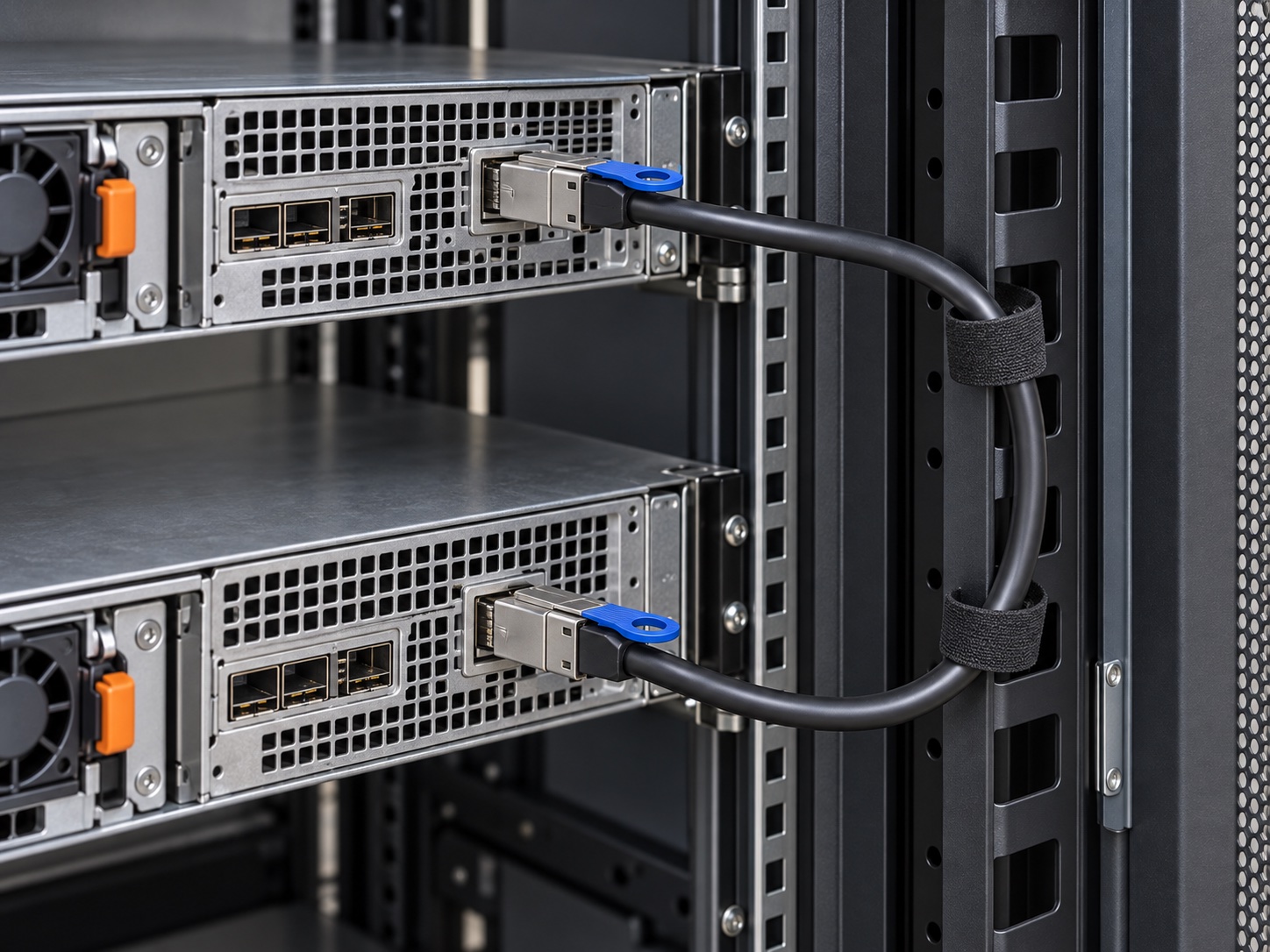
Measure the installed route through the rack’s cable-management space, not the distance between the two sockets in a photograph. Include the space needed for the connector body, the cable’s allowed bend and the equipment’s service position. A cable that reaches while both chassis are fully inserted may be too short when one unit is moved for servicing.
Give the release tab a clear operating path. Avoid packing another cable directly across it or arranging the bundle so that the cable jacket carries tension at the connector. Support the run at suitable points and follow the assembly’s handling limits. A tidy bundle should still let a technician identify and release the intended connection.
Record both equipment-port labels on the cable map. If the enclosure has several ports, use its manual to establish their roles and supported topology. Do not connect ports in a guessed chain because the housings fit. Before disconnecting a storage link, follow the system’s maintenance procedure; an external connector by itself does not establish hot-swap or redundancy behavior.
Can the latch be released with neighboring cables installed?
Does the route reach through the planned management path?
Does equipment movement stay within the intended cable arrangement?
An assembly with SFF-8644 at one end and SFF-8643 at the other combines an external-style endpoint with an internal-style endpoint. Renhotec lists this combination as RHT-726-3020. The endpoint change does not provide a controller, convert a protocol or supply a complete panel-mount solution.
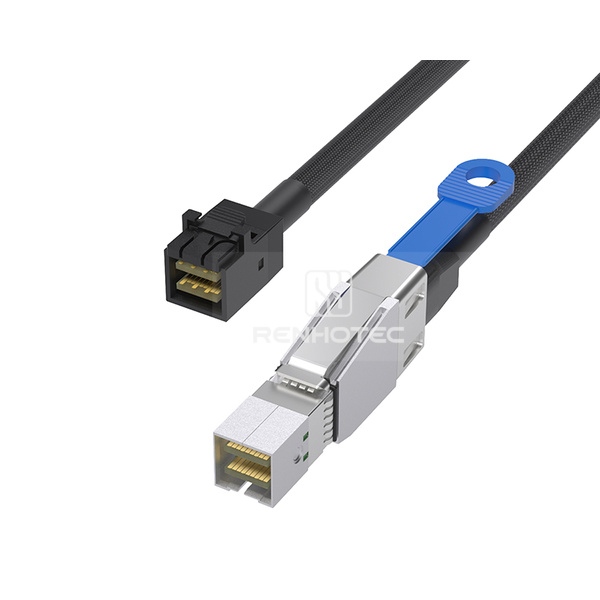
Check the receiving board port and housing clearance.
Check the external port, release access and enclosure route.
When the installation passes through a chassis wall, define the mechanical transition explicitly. The design may need a suitable panel interface, bracket or other enclosure provision. Do not route a loose cable through an unprotected opening or assume that a hybrid assembly includes the hardware needed to secure that boundary.
Older Mini-SAS equipment raises a different question. For an internal SFF-8087 port, a compatible SFF-8643-to-SFF-8087 assembly changes the physical endpoint while retaining the required signal connections. RHT-726-3006 is an angled configuration in this group. For external SFF-8088 equipment, look for the appropriate external hybrid arrangement; SFF-8087 and SFF-8088 are not substitutes for each other.
Amphenol lists SFF-8088-to-SFF-8644 hybrid external cables for legacy integration. “Legacy integration” still requires compatible equipment, cable wiring and operating conditions. A new connector or a higher-rated cable cannot upgrade the controller or drive’s supported signaling generation.
If a replacement controller has an internal SFF-8643 port and the retained backplane has SFF-8087, start with a mixed-end assembly such as RHT-726-3006, which lists a right-bend configuration. An SFF-8643-to-SFF-8643 cable such as 3008 would leave the backplane end unmatched. Compare 3006’s bend orientation and wiring with the installed ports. Renhotec also lists the 2002/2003 internal and 2015 external transition arrangements.
Some Mini-SAS HD implementations carry PCIe signals for NVMe storage. This matters most when reusing an existing backplane or replacing a controller: the connector can look familiar while the expected electrical assignment is different.
Check the assignment, not the color
Broadcom’s cable guide identifies certain white Mini-SAS HD backplane connections for an NVMe implementation. The color is a convention for that equipment, not a universal rule for all SFF-8643 sockets.
Controller cable guide, U.2-enabled cables, page 2The Renhotec range includes RHT-726-3010, an 8i-to-two-U.2 assembly with 15-pin power connections and mounting ears, plus assemblies ending in OCuLink or SlimSAS. Their endpoint descriptions establish physical arrangements. Confirm the required PCIe links and supporting signals before using them for an NVMe installation.
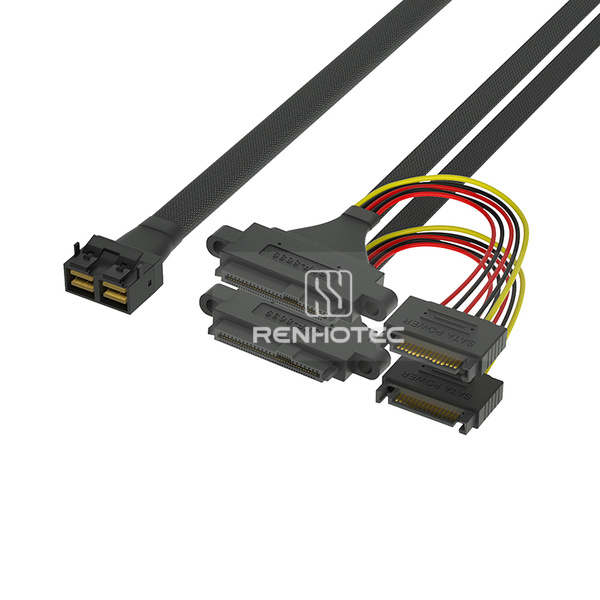
RHT-726-3010 has two U.2 branches. The host must provide the required independent links and each drive needs the specified power connection.
View RHT-726-3010For SlimSAS at the other end, the SlimSAS backplane wiring discussion gives a concrete example of different cable assignments sharing the same connector names. It is a useful next check when a purchase description reads only “SFF-8643 to SFF-8654.”
Keep performance claims equally specific. A rate printed on an assembly’s data sheet applies to that assembly under its specified conditions. The usable connection also depends on the controller, drive or expander, backplane and complete route. Avoid treating “Mini-SAS HD,” wire gauge or cable length alone as a guaranteed transfer rate.
A “12G” assembly rating does not make a SATA drive operate at 12 Gb/s. The controller and drive set their supported operating modes; check the negotiated link when validating the installed route.
The Mini-SAS HD range contains 22 configurations. Start with the endpoints and physical form, then send the required wiring and equipment details for the selected SKU. Each link opens the corresponding family list with product photographs.
Before removing an existing assembly, capture the information needed to reproduce its job. Connector photographs help, but the controller model, backplane revision and cable part number often resolve differences that the photos cannot show.
For a backplane replacement, compare the old and new port-to-bay maps before ordering. A change in connector location may require a different exit or branch length even if the electrical assignment stays the same. A change in topology may require a different assembly even if the connector is unchanged.
After installation, verify the intended devices and port map in the appropriate controller or system tools. Check that the expected links are present and inspect the route with covers and nearby assemblies installed. If a fault remains, change one variable at a time and keep a record of the observation; replacing several parts together makes the result harder to interpret.
Request an approved drawing or a documented equivalent configuration for the final choice. This is particularly useful when a supplier description omits sideband wiring, uses a vague “8i” label or shows a product photograph from only one angle.
Send the two equipment models and port labels, the required interface at each end, and a sketch or photograph of the installed route. For a breakout, identify the controller side, individual destinations and power arrangement. Include the original cable number or wiring drawing when requesting a replacement.
A useful request is specific about the job: “Internal controller SFF-8643 to four SATA drives, separate drive power, with the controller-side exit constrained by the chassis cover.” Add the required route and branch lengths, then ask Renhotec to confirm the relevant configuration and drawing.